Team & coordination
One point of contact. A whole team.
Your managing director coordinates work, hires specialists and brings results together. You direct the team from the app.
Around the Clock Mac beta
Give your AI agents a place to work together. You set the direction. Your team takes care of the next steps.
Download for MacYour office. Straight from the app.
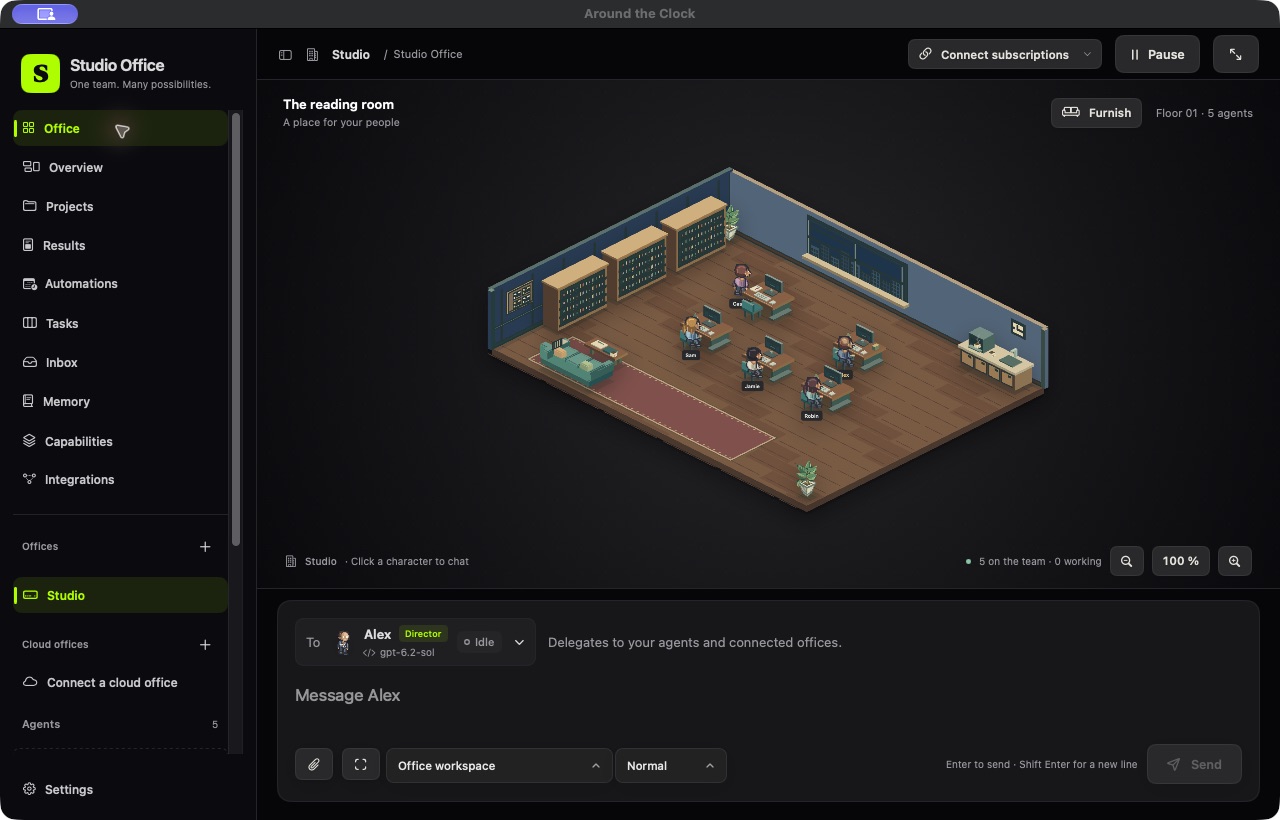
An office for your projects
Turn individual assistants into a team with clear roles. And scattered conversations into work you can follow.
Team & coordination
Your managing director coordinates work, hires specialists and brings results together. You direct the team from the app.
Projects & knowledge
Project knowledge, assignments and results in one place. Plans and file changes show what is happening. Questions come straight from your office.
Accounts & permissions
Connect your own subscriptions and API accounts. Give each agent a fixed model and choose the folders, integrations and Mac capabilities your team can use.
Your office. Set up your way.
ACW colours are the default; Classic Gold and individual room templates remain available.
Drag the app into Applications. Name your office and select a workspace.
Connect accounts, choose a managing director and set permissions.
Give your first assignment. Follow progress, questions and results in your office.
Before you move in
Start with your own office. Provider subscriptions and API usage are not included. Intel Macs and Windows are not currently supported.
Currently an Apple Development-signed beta, not yet Apple-notarized. macOS may block its first launch or require explicit approval.
819b9c74c7bbebfa99774c90d9ef5f1c2190763a696fac419cabcf9a040e7655Good to know
No. The distribution contains the software. Accounts, credentials, conversations and project files from an existing office are not included.
The update service is built into ATC. Check for updates in Settings → Updates & backups. Automatic checks and downloads are optional; you choose when to install.
Yes, while the local background process is running and the Mac is awake. No local work runs during actual system sleep. Wake schedules and availability can be configured in the app.